The whole list, priced
Every change shown with what it costs you before a single one is applied.
Tuned for Rust
Nullframe tunes Windows, your power plan and your display for one game. Stretched resolutions, real colour control, and every change written down before it is made. All of it reverts in a single click.
Frames
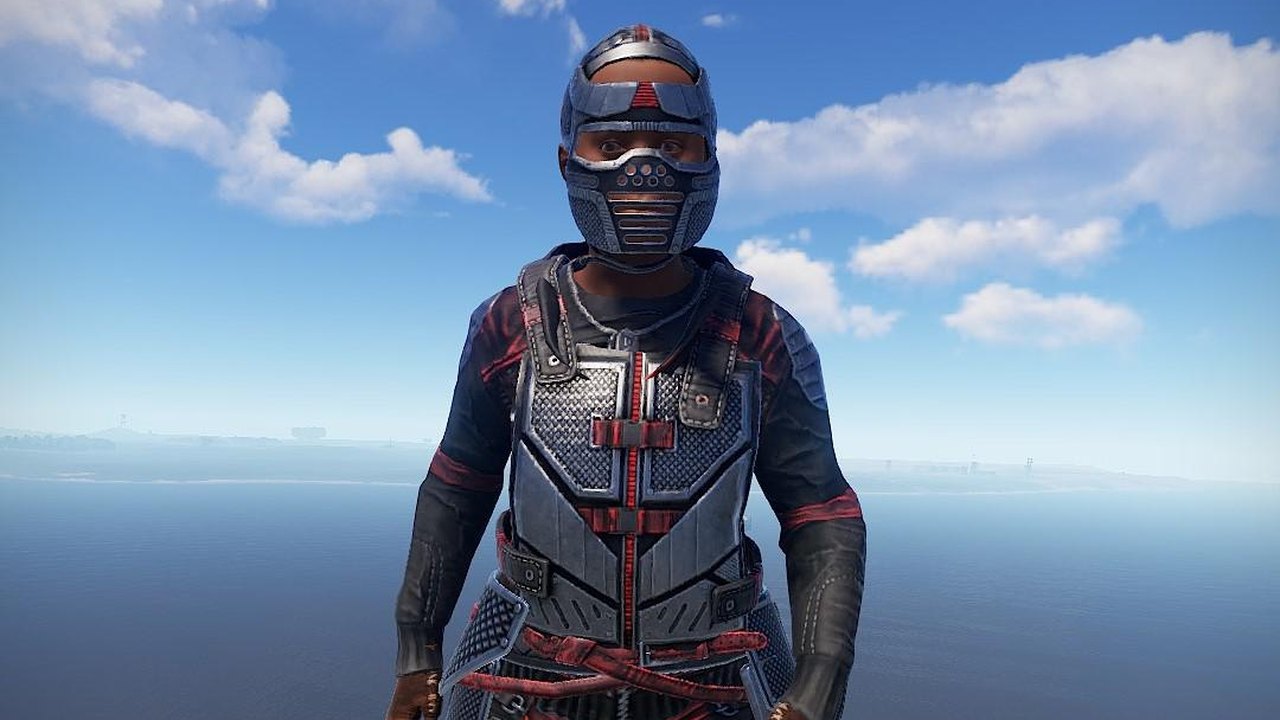
The same few seconds of Rust, running at two frame rates. Drag the handle across and watch what happens to the tree line.
Identical footage on both sides. Only the frame rate differs, so what you are seeing is the difference itself rather than a comparison of two different moments. How much Nullframe gains you depends entirely on your machine, and the app measures yours rather than guessing.
Optimize
These are the real 38 changes a default run makes, in the order the app makes them. Nothing here touches your PC. This is simply what you see while it works, including the button that puts it all back.
In the app the list is shown in full, with what each change costs you, and you confirm it before anything runs. The score is our own weighting. It is not a benchmark, and not comparable to anyone else's.
Power
Windows ships set up to save power, not to hold a frame rate. Change the four settings on the left and watch what happens to the clocks.
Power plan
A simulation of how these four settings behave. It is not a reading from your PC, and not an overclock. Nullframe changes exactly these, and measures your own machine before and after.
Colour
Drag them. In the app the same five values go through your graphics driver and apply before Rust starts.
This preview runs in your browser, so it only approximates. Saturation and hue need your graphics card. The app talks to Nvidia and AMD directly, and says so plainly when your hardware cannot do one of them.
Resolution
A stretched resolution renders fewer pixels and blows them back out to fill the screen. Models read wider, and your card has less to do.
Nullframe offers the modes your monitor actually reports. It does not invent resolutions your display cannot show, and it puts your old one back if you do not confirm within fifteen seconds.
The app
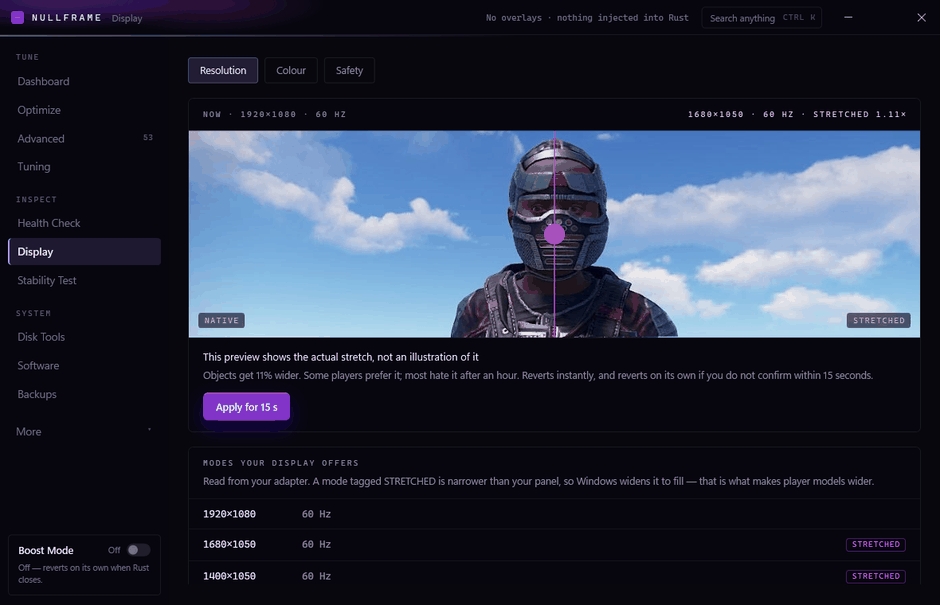
Only the modes your monitor really reports, with a live before-and-after and fifteen seconds to change your mind.
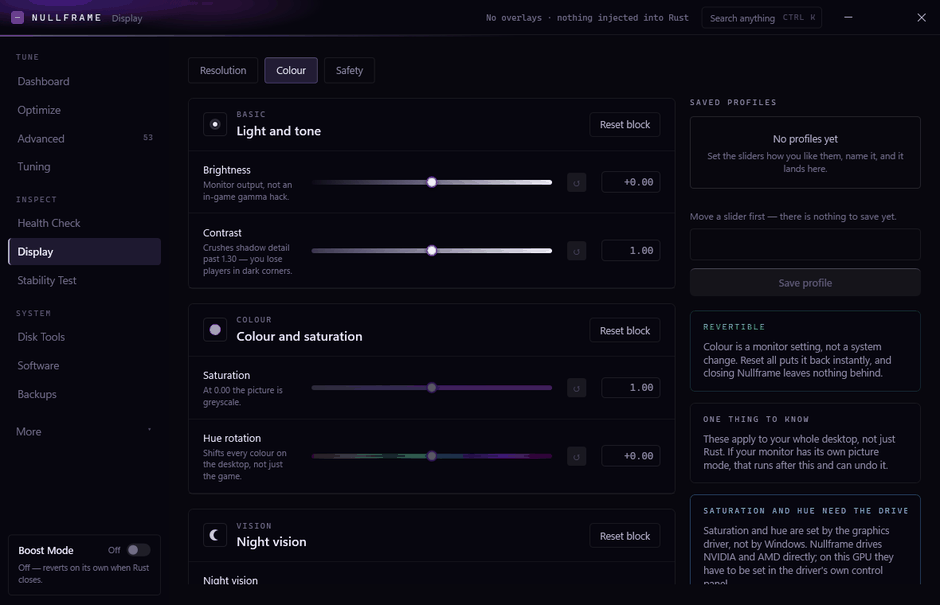
Five controls, set on your graphics card rather than drawn over the game, and each one says what it can and cannot do on your hardware.
What it does
Every change shown with what it costs you before a single one is applied.
Each run records how Windows had it. Restore a session in one click, months later.
Stretched modes your monitor really supports, plus full colour control through the driver.
Applies the aggressive settings when Rust launches, and reverts them when it closes.
Seven checks against your machine, each naming what is wrong and what it costs.
Every change written out so you could do it by hand. We would rather you could.
Pricing
Base
Base
The tuning, without the display and hardware controls.
one PC, pay once
Pro
Pro
Adds the four things people actually come here for.
one PC, pay once
Your key arrives by email straight after payment. Windows will warn that the installer is unsigned. Choose More info, then Run anyway. Pro monthly sends a fresh key by email each time it renews, and nothing Nullframe has applied is undone if one runs out.
Support
Nullframe is made by one person, and the Discord is where you reach them. Bug reports get fixed and shipped, usually the same week, and the update arrives inside the app. Two of the colour bugs fixed so far were found by customers who posted a screenshot.
Questions
No, and it will happen. The installer is not code-signed yet. A certificate costs a few hundred a year and Nullframe is new. Click More info, then Run anyway. SmartScreen is telling you it has not seen this file before, which is true.
No. A licence key cannot be taken back once it has been emailed, so all sales are final. That is why everything the app does is on this page and in the screenshots before you pay. If something is not working, come to the Discord and I will fix it.
One. The key binds to the PC you activate it on, and it survives reinstalling Windows or swapping a drive on that same machine. Building a new PC means a new key.
Only to receive your key by email. After that, no. Your key is verified on your own machine, so Nullframe keeps working offline, permanently, whatever happens to this website.
Every run is recorded before anything is written. Open Backups and restore the session. One click, and your PC is exactly how it was. That still works months later, and uninstalling Nullframe does not delete your sessions.
Windows 10 and 11, 64-bit, build 19041 or newer. It needs administrator, because changing power plans and system services is not something a normal program is allowed to do.
The Discord. Quote the first two groups of your licence key and whatever the app said, and you will get an answer from a person.
Windows applies the settings. Rust just starts faster, and everything is one click from being exactly how you found it.